
How Can We Help?
📱 How to Conduct an Audit through the Mobile App
Conducting regular audits is essential for maintaining safety and compliance on-site. This guide walks you through the process of performing an audit using the Take5™️ Connect mobile app.
Step 1: 📱 Access the Audit Feature
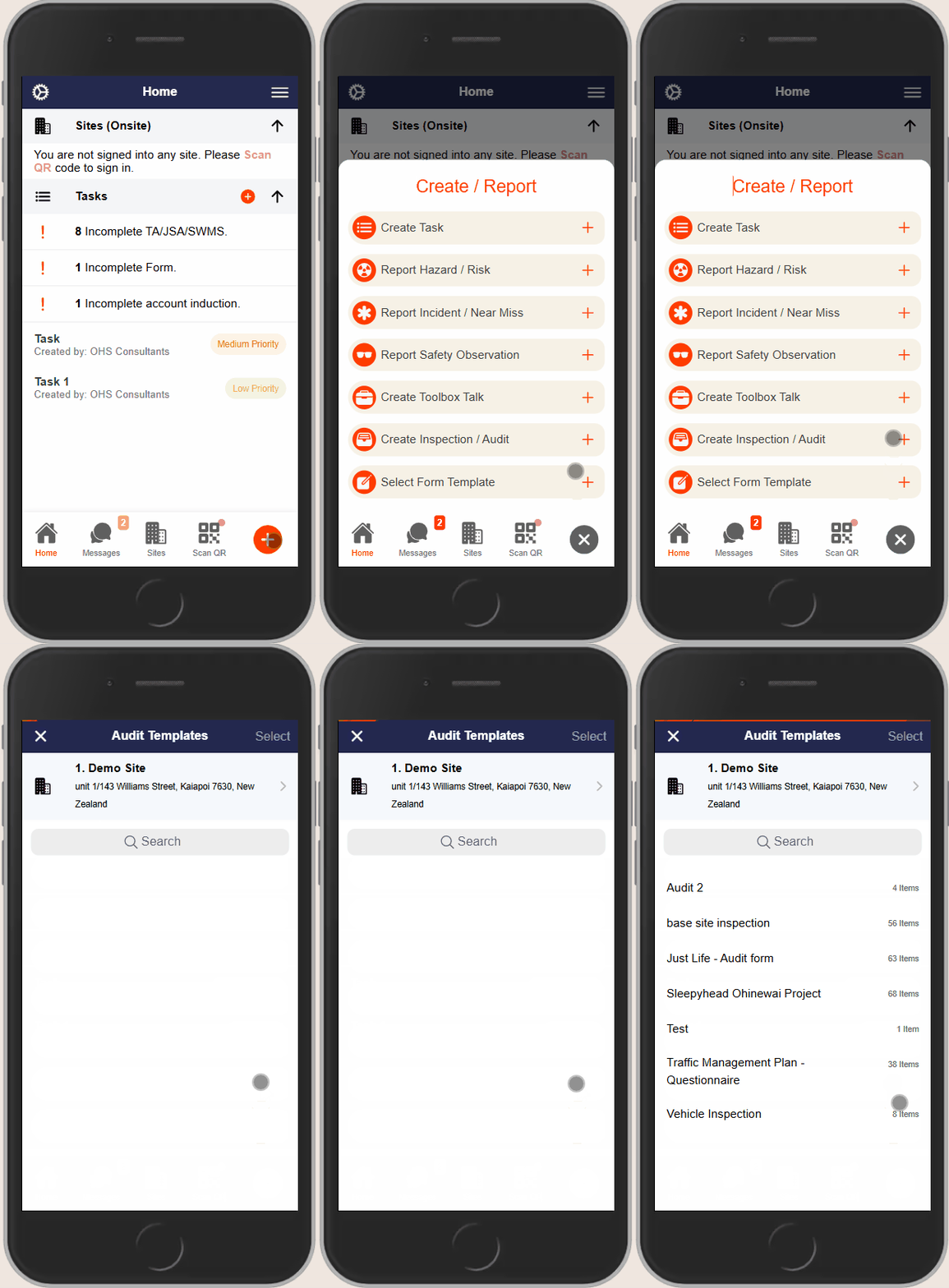
- Open the Take5™️ Connect mobile app on your device.
- Tap the + icon located at the bottom of the screen on any page within the app.
- From the menu that appears, select Create Inspection/Audit.
Step 2: 🏗️ Select the Relevant Site
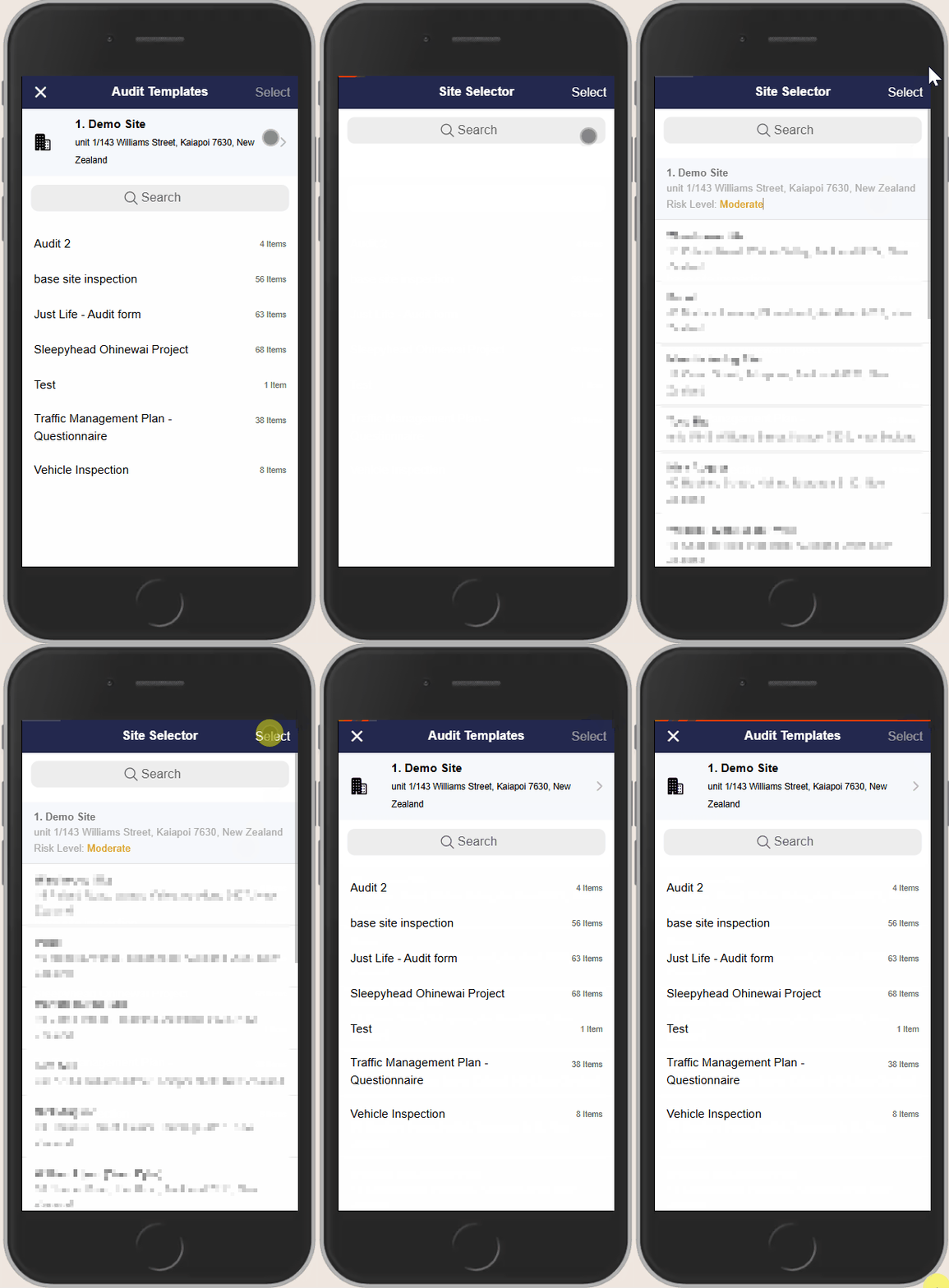
- At the top of the audit screen, you’ll see the current Site.
- To change the associated Site:
- Tap on the Site description.
- Use the search function or scroll through the list to select the correct site.
Step 3: 📝 Choose an Audit Template
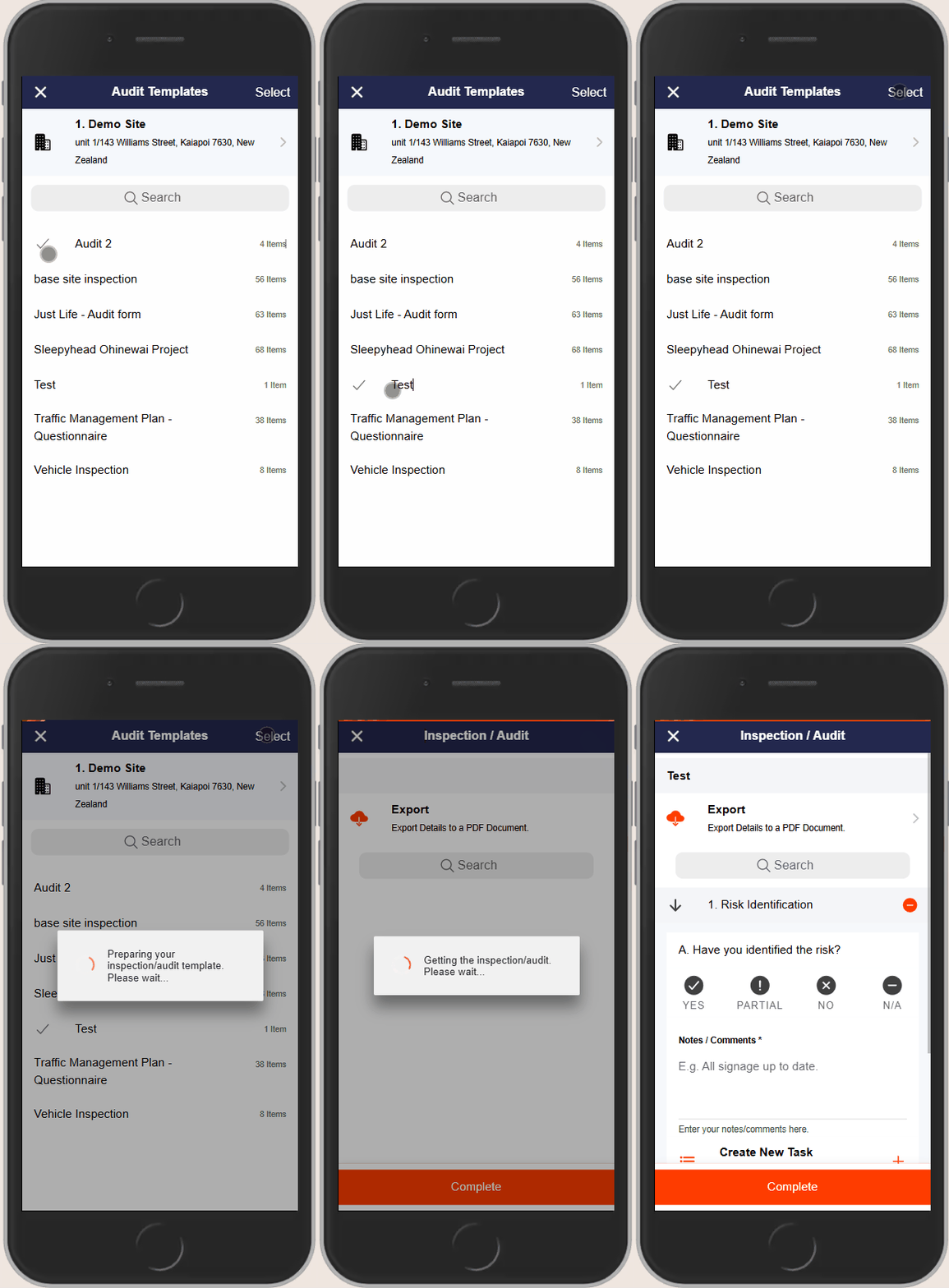
- A list of available Audit Templates will appear.
- Select the appropriate template by tapping on it.
- Tap Select in the upper right corner to proceed.
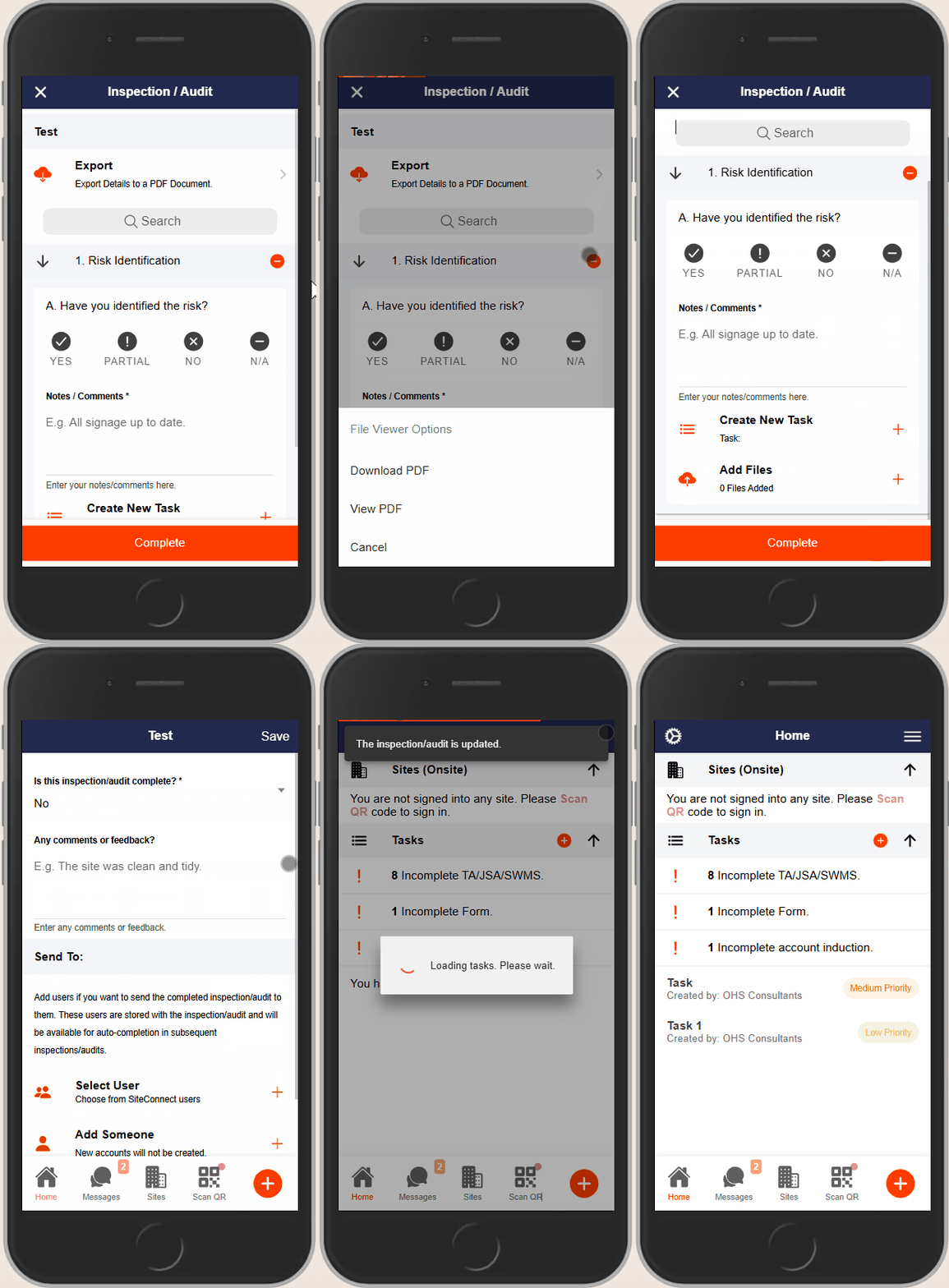
Step 4: ✅ Complete the Audit
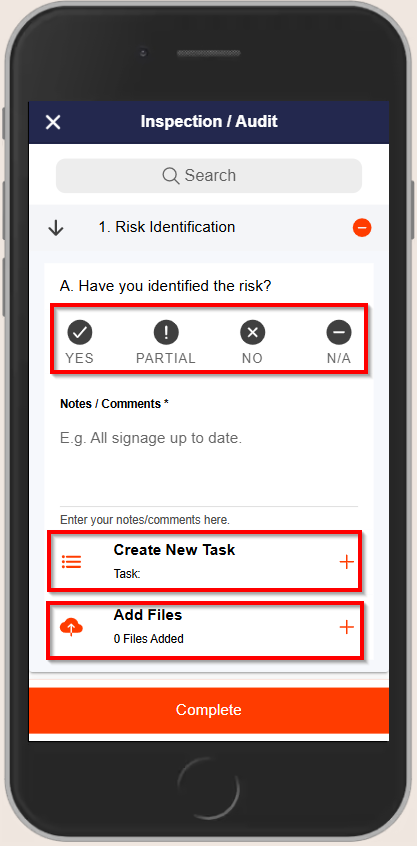
- For each item in the audit:
- Select Yes, Partial, No, or N/A.
- Optionally, add comments or notes.
- To create a task for any item, tap the Create Task button.
- To add files or photos, tap Add Files and choose from your device or take a new photo.
Step 5: ✅ Finalize the Audit
- To export the audit details as a PDF, tap Export at the top of the screen.
- Once all items are completed, tap Complete at the bottom of the screen.
- A review screen will appear.
- Select if the audit has been fully completed, provide additional comments or feedback, and add any contacts you wish to send the audit results to.
- Tap Submit to finalize and submit the audit.
🧩 Troubleshooting
- Missing Templates: If the desired audit template is not available, contact your Account Administrator.
- App Performance Issues: Ensure your app is updated to the latest version. Restart the app or reinstall it if necessary.
- File Upload Issues: Verify that the files you’re attempting to upload are in supported formats and within size limits.
📞 Need Help?
If you encounter any issues or need further assistance:
📧 Email: support@take5connect.com
📞 Phone (NZ): 0800 582 535