
How Can We Help?
🔔 How to Set Up Site Notifications
Configuring site-specific notifications ensures that relevant personnel receive timely updates about activities and incidents at their designated sites. This guide will walk you through enabling and managing site notifications in Take5™️ Connect.
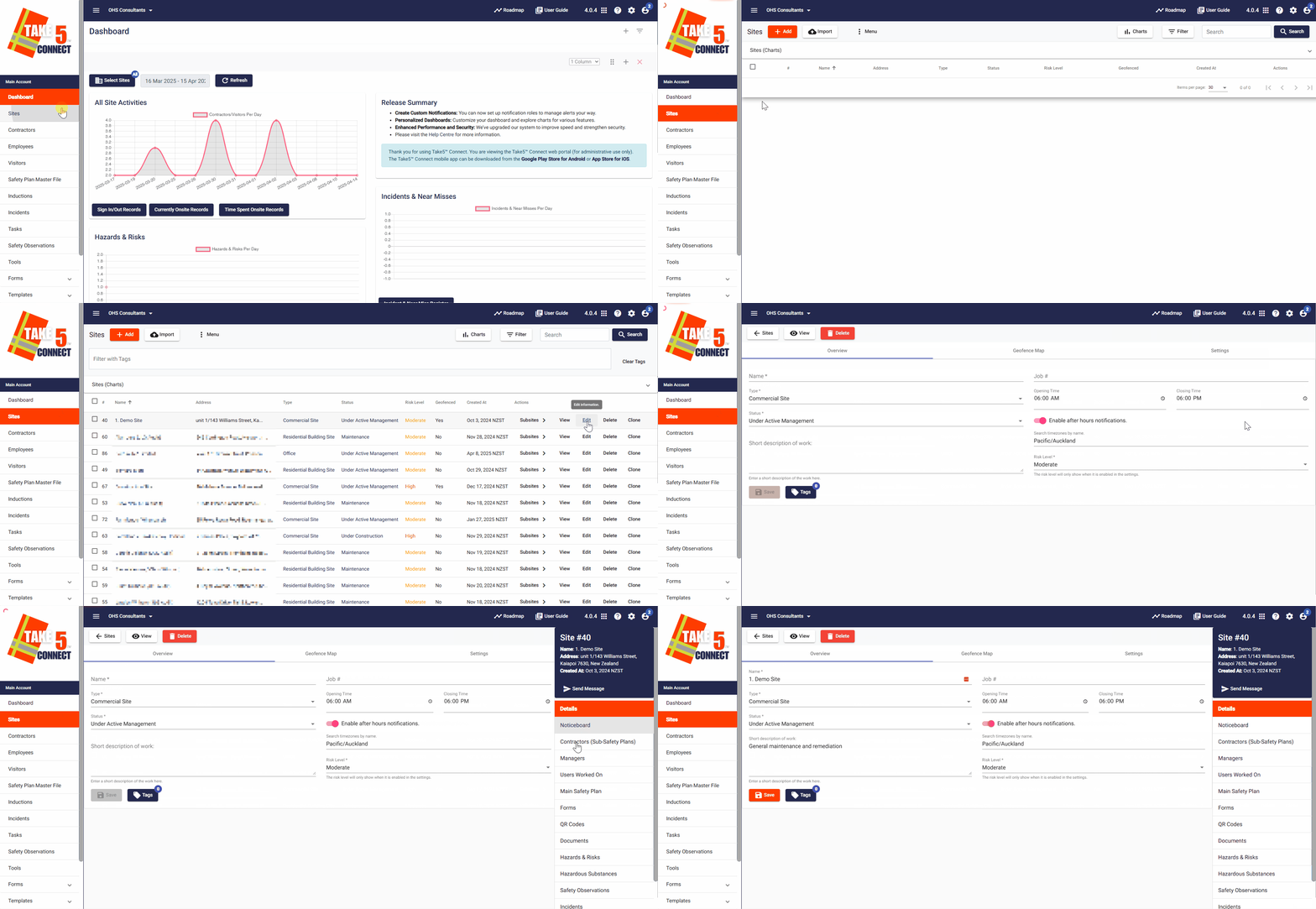
Step 1: 📍 Navigate to the Site Settings
- Once logged in, locate the Sites tab in the left-hand menu.
- Here you can view your list of registered sites.
- Find the site you wish to configure and click on Edit to the right of the site name.
Step 2: ⚙️ Enable Site Notifications
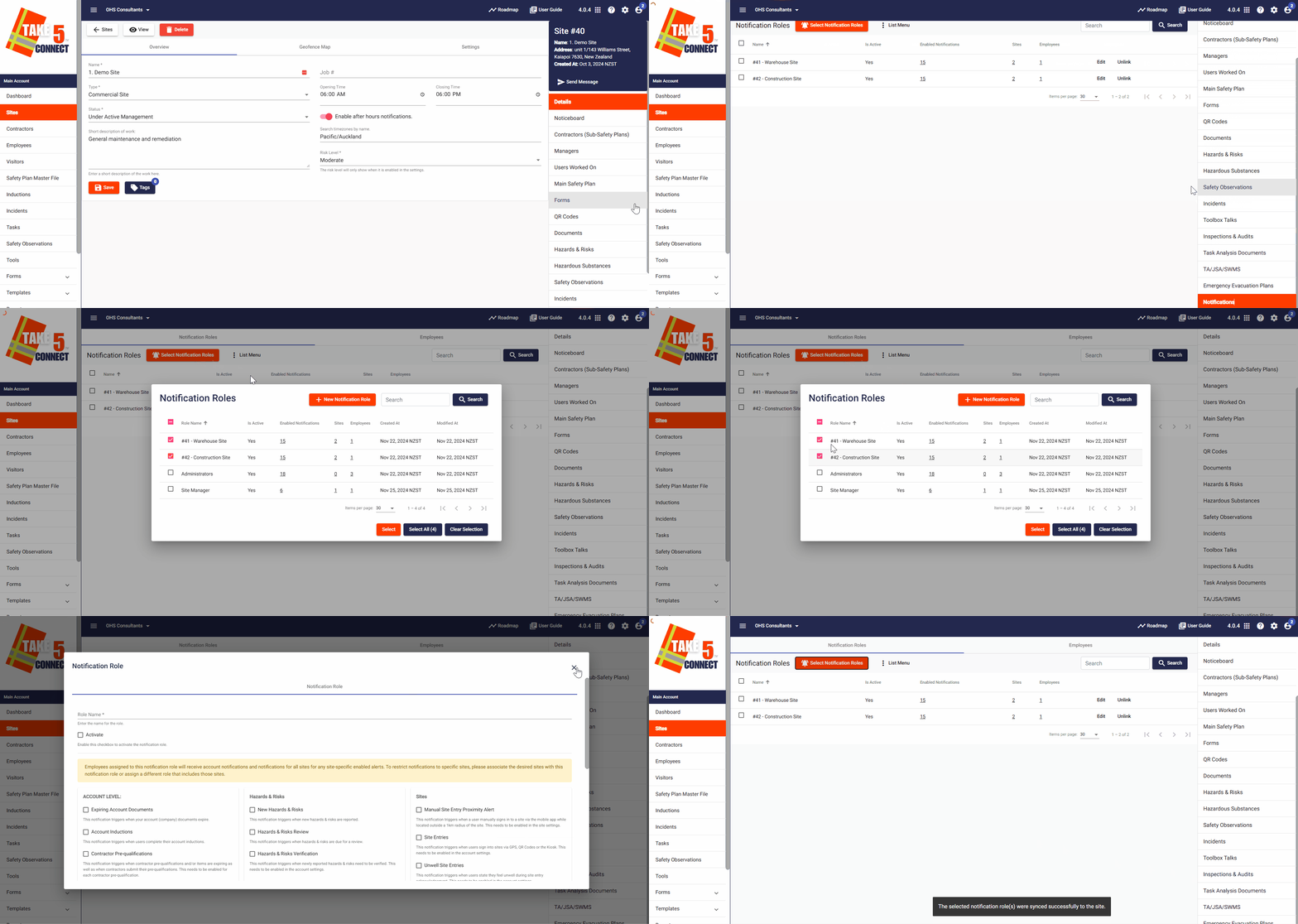
- In the right hand side bar, click on the Notifications tab located at the bottom of the list.
- Click on Select Notification Roles, which will open the notification roles selector dialog box.
- Select the notification roles you want to associate with the site and click on Select.
- To create a new notification role, click on the + New Notification Role button in the dialog box.
Step 3: 👥 Link Employees to Receive Site Notifications
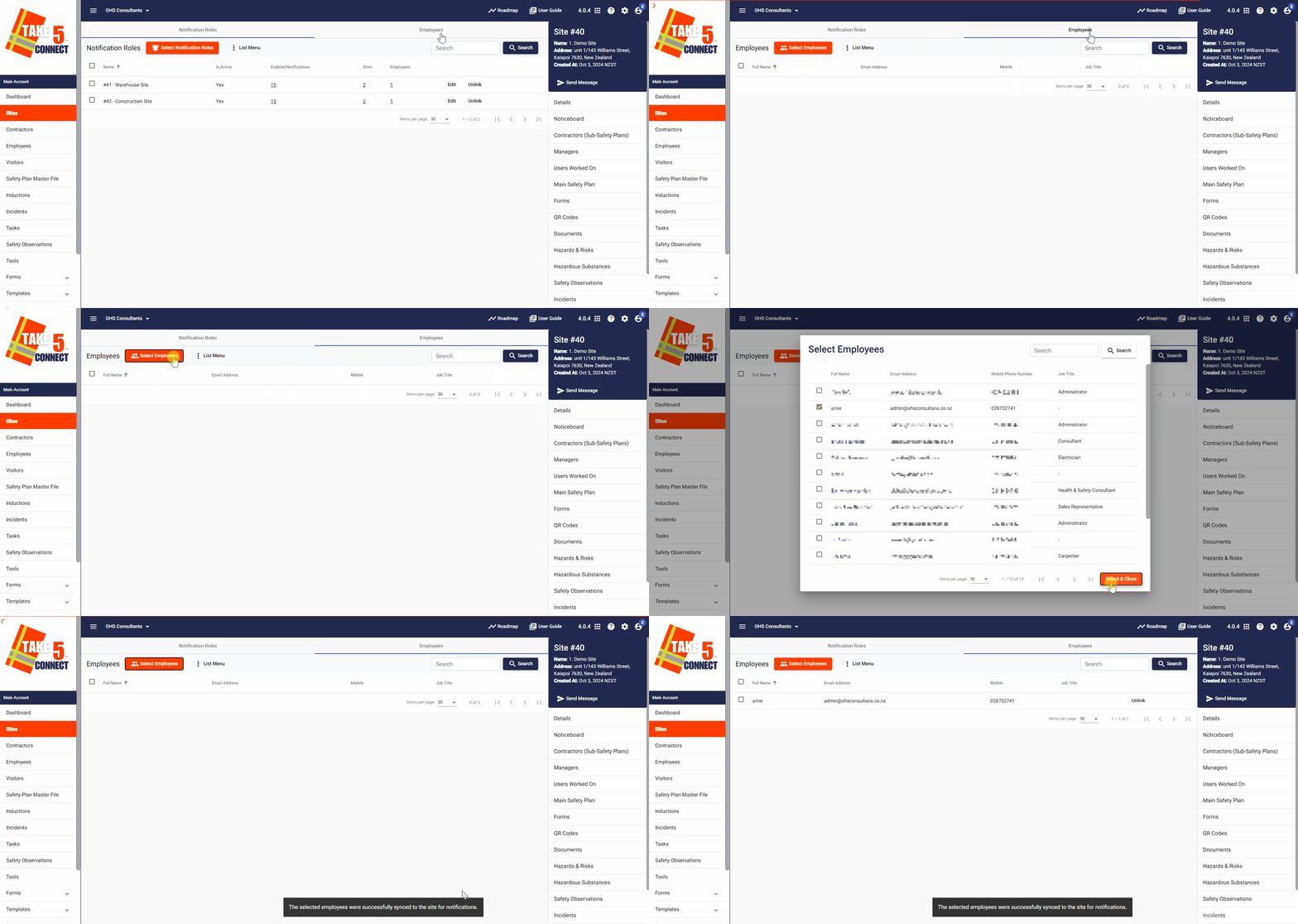
- In the Notifications tab for the site, click on the Employees tab along the top bar.
- Click on Select Employees.
- A dialog box will open with a list of employees.
- Click in the boxes to the left of the applicable persons’ names to select them.
- Click on Select & Close in the bottom right of the screen.
Step 4: ❌ Unlink Employees from Site Notifications
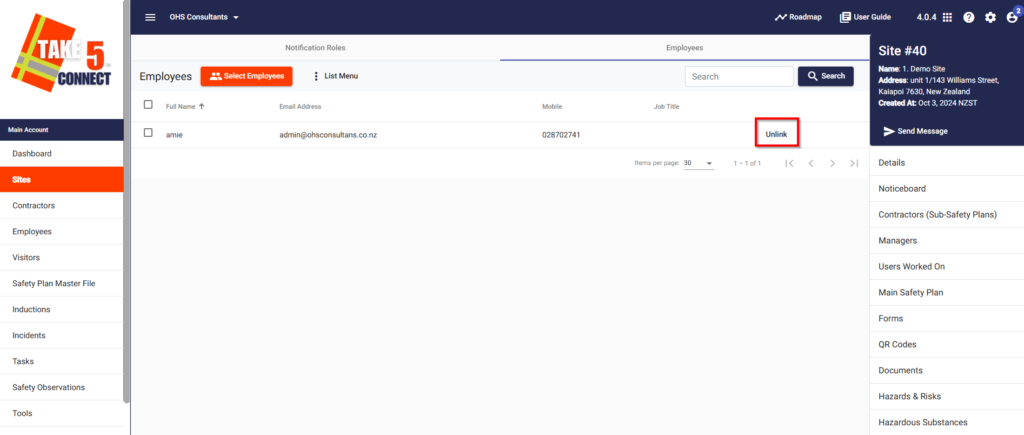
- To unlink employees from the site’s notifications, go to the Notifications tab for that site.
- Click on the Employees tab.
- Click Unlink next to the Employees name and then they will not longer receive notifications from this specific site.
❓ Troubleshooting
- Not Receiving Expected Notifications: Ensure that the relevant notification roles are enabled and that employees are correctly linked to the site.
- Unable to Link/Unlink Employees: Verify that you have the necessary permissions to modify employee associations.
- Missing Notification Roles: If the desired notification role is not available, you may need to create a new role or adjust existing roles.
📞 Need Help?
If you need further assistance, please contact our support team at:
- 📧 Email: support@take5connect.com
- 📞 Phone (NZ): 0800 582 535