
How Can We Help?
🏢 Emergency Evacuation Plans
Creating and managing Emergency Evacuation Plans in Take5™️ Connect helps ensure that all workers and visitors know exactly what to do in case of an emergency. This feature allows you to upload site-specific evacuation plans so they’re accessible to everyone who needs them — quickly and easily.
Step 1: 🧭 Navigate to the Emergency Evacuation Plans Section
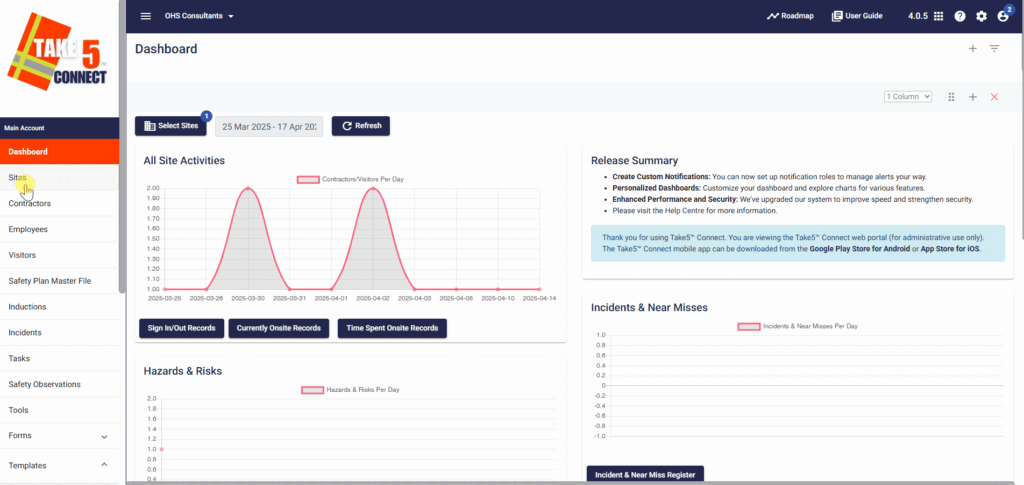
- From the left-hand menu, go to the Sites section.
- Select Edit next to the site where you want to upload or manage an evacuation plan.
- Navigate to the Emergency Evacuation Plan tab within the site’s profile.
Step 2: 📤 Creating an Emergency Evacuation Plan
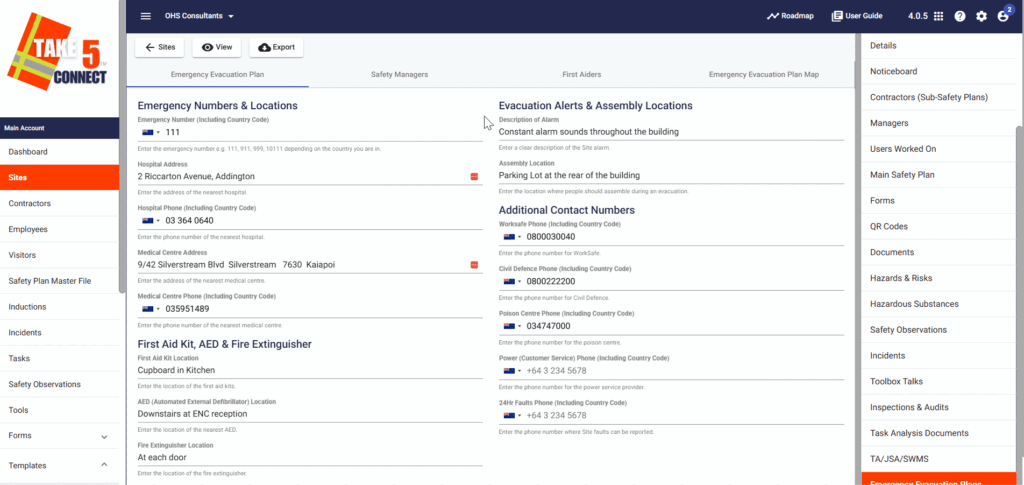
- Start filling out the fields that appear that will provide the information for the emergency evacuation plan, including: Emergency Numbers, Assembly Locations and First Aid Kit Location.
- Along the top bar, you can also add Safety Mangers, First Aiders and an Emergency Evacuation Plan Map.
Step 3: 🗂️ Managing Existing Evacuation Plans
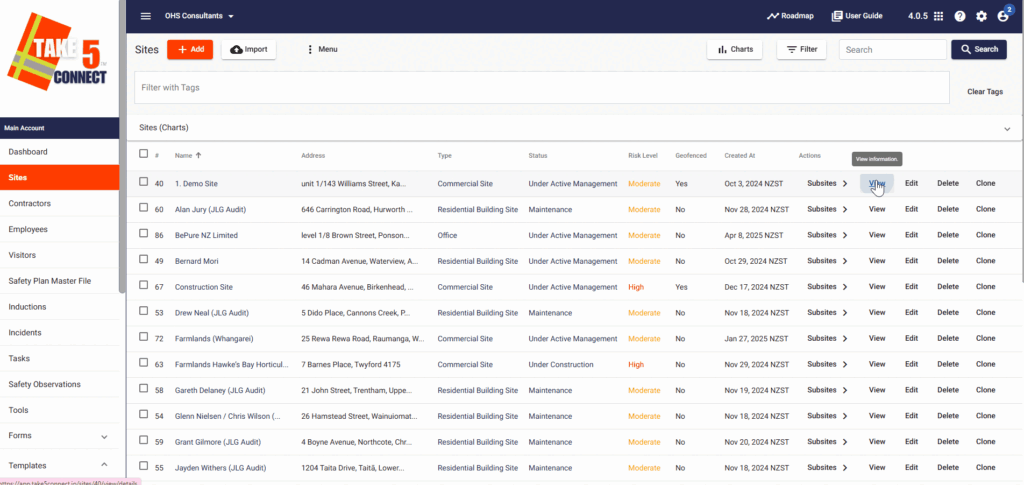
Once saved, evacuation plans will be listed in the Emergency Evacuation Plan section for the selected site.
You can:
- View the plan: Click the file name to preview it.
- Download the plan: Click the download icon to save a local copy.
- Edit the plan: Make edits to the plan and update it.
- Delete the plan: Remove the plan from the site if it is no longer relevant.
Step 4: 🧾 Making Plans Visible to Workers & Visitors
To ensure evacuation plans are visible to all:
- Evacuation plans are automatically linked to the Kiosk, Mobile App, and QR Code Sign-In systems used on-site.
- When users sign in at a site, they will be prompted to acknowledge that they’ve reviewed the emergency evacuation plan.
❓ Troubleshooting
- File not uploading? Ensure the file is within the allowed size limits and is in an accepted format.
- Plan not showing on sign-in? Confirm that the plan is active and correctly linked to the site.
- Wrong file uploaded? Simply delete the incorrect plan and upload a new version.
📞 Need Help?
If you need help uploading or managing your Emergency Evacuation Plans, our support team is here to assist:
- Email: support@take5connect.com
- Phone (NZ): 0800 582 535