
How Can We Help?
🏢 Managing Site Toolbox Talks
Toolbox Talks are an essential part of site safety communication, allowing supervisors to share safety updates, procedures, and reminders with their teams. In Take5™️ Connect, you can easily manage Toolbox Talks for each site, track participation, and store records for compliance and audits.
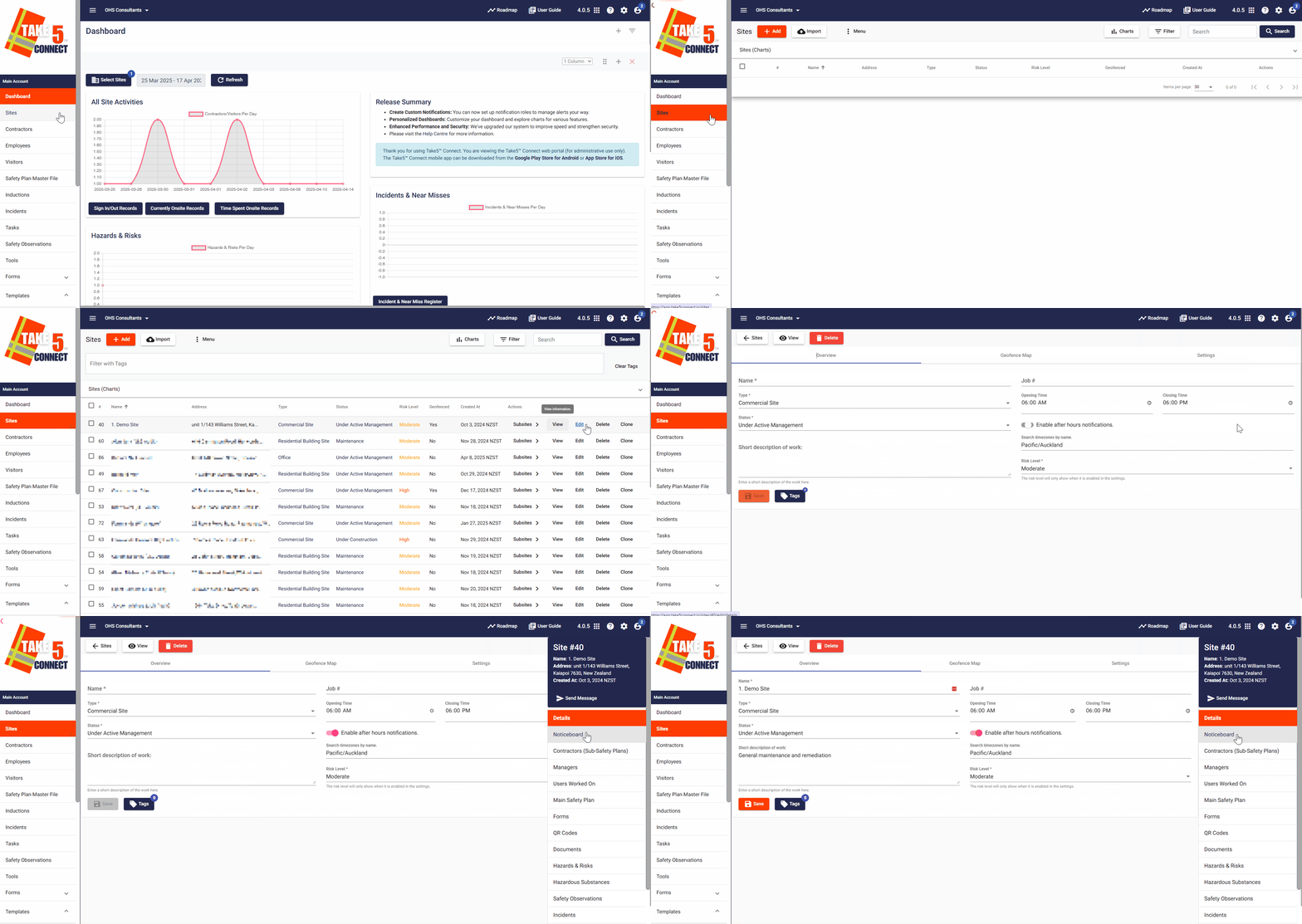
Step 1: 📍 Navigate to the Site
- From the main dashboard, select Sites from the left-hand menu.
- Click Sites, then choose the site where you want to manage Toolbox Talks.
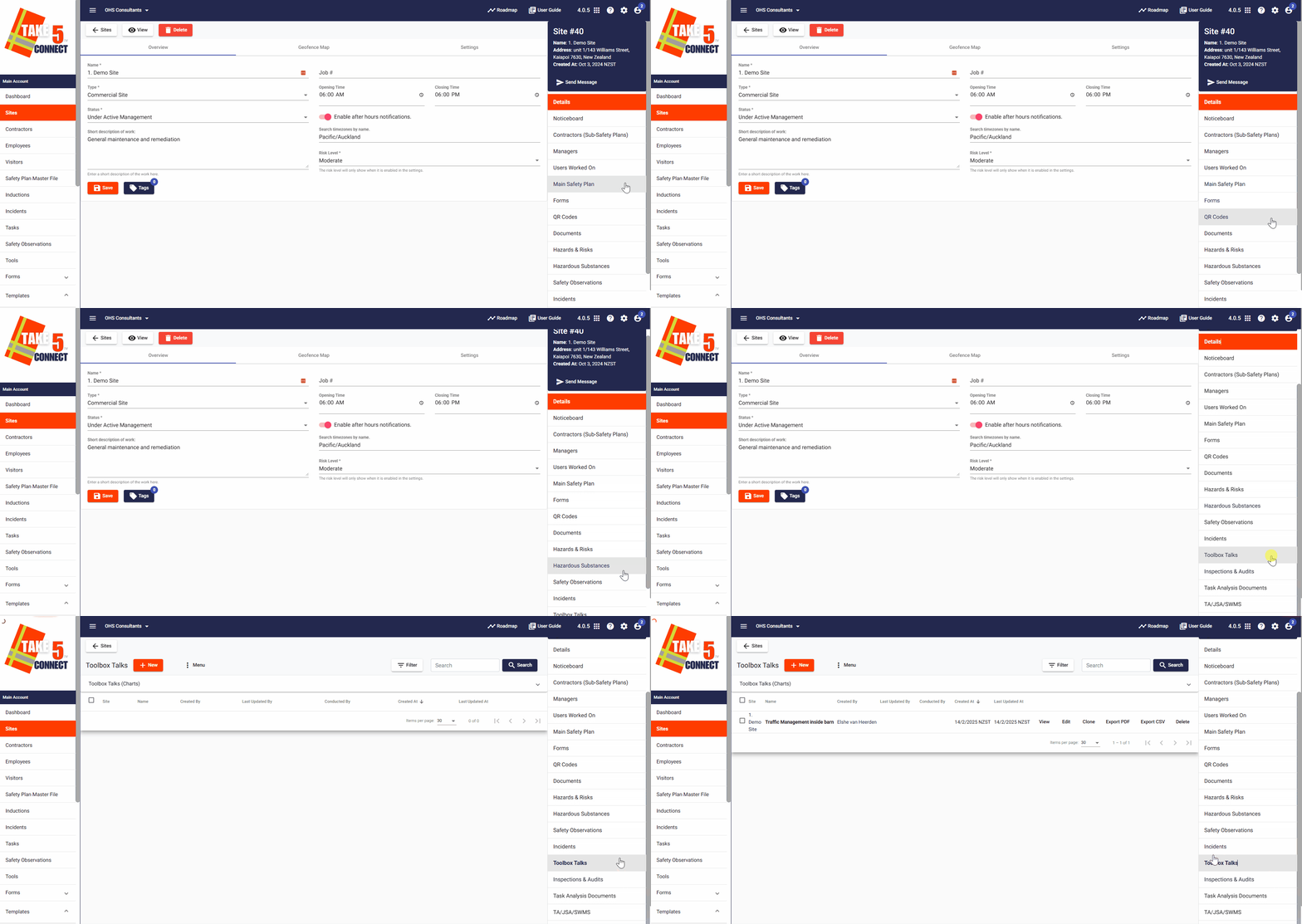
Step 2: 🧰 Open the Toolbox Talks Tab
- Inside the site profile, click on the Toolbox Talks tab.
- This is where all scheduled and completed Toolbox Talks for the selected site are listed.
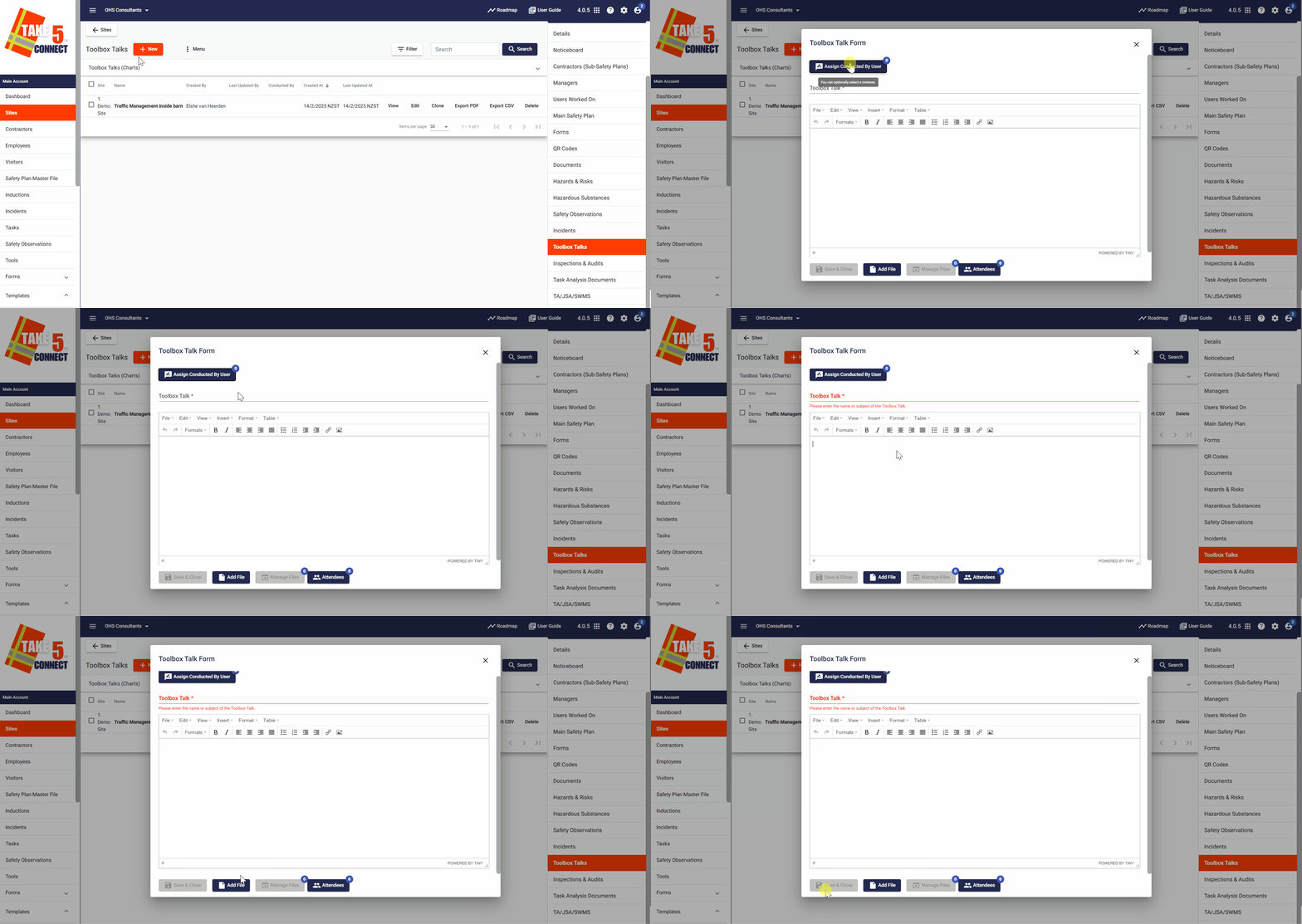
Step 3: ➕ Create a New Toolbox Talk
- Click the + New button.
- Fill in the following details:
- Toolbox Talk Title: A clear, concise topic name (e.g., “Working at Heights Safety”).
- Reviewer: The name of the person leading the talk.
- Description/Notes: Outline the key points or content of the discussion.
- Add Files (optional): Include reference material or safety handouts.
- Click Save & Close to add the Toolbox Talk to the site’s record.
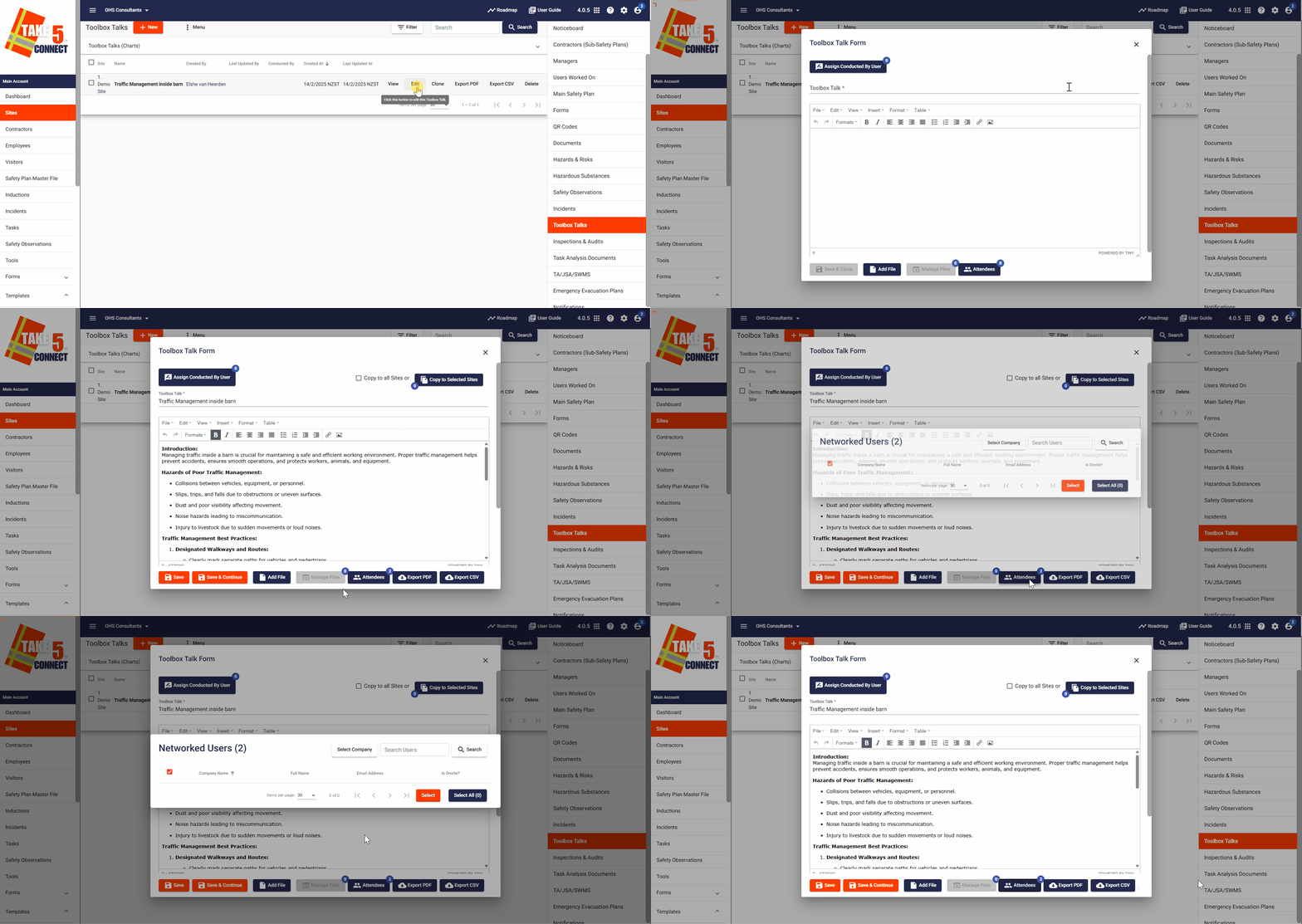
Step 4: 🧾 Recording Attendance
- Once a Toolbox Talk is created, click Edit next to it to open the Attendance section.
- Click Attendees at the bottom of the dialog box and select participants from the list of users associated with the site.
- Tick the checkboxes next to attendees’ names.
- Click Save to save the attendees.
Step 5: 📂 Reviewing Past Talks
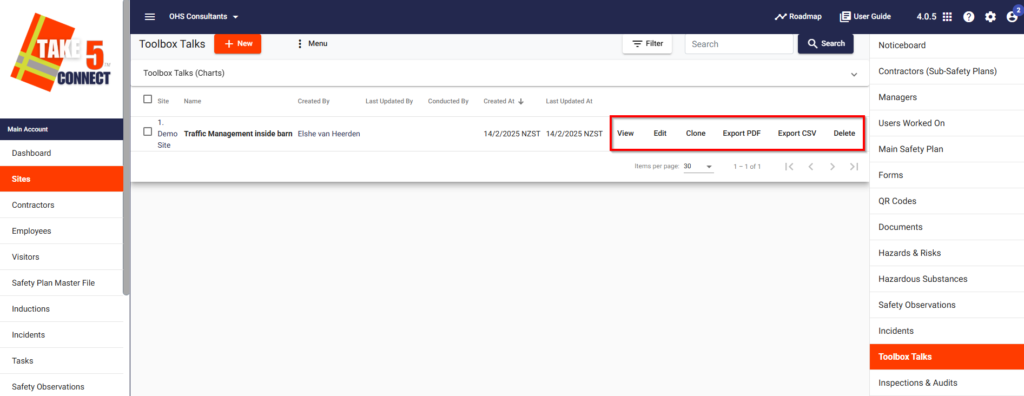
In the Toolbox Talks tab, you can:
- View Past Talks: See a history of all completed sessions.
- Edit: Update the topic, notes, or facilitator if needed.
- Clone: Duplicate the toolbox talk for another use.
- Delete: Remove talks that were created in error.
- Export Reports: Export participation data for compliance records or audits either as a PDF or CSV file.
Step 6: 📲 Visibility on Site
Toolbox Talks are visible to:
- Site Managers and Admins managing safety discussions
- Workers during sign-in (summary view of recent talks)
- Compliance auditors via the reporting feature
❓ Troubleshooting
- Can’t add a talk? Ensure you’re assigned as a manager for the site and have permission to create Toolbox Talks.
- Missing participants? Check that users are properly assigned to the site.
- Edits not saving? Try refreshing the page or checking your internet connection.
📞 Need Help?
For assistance with Toolbox Talks or anything else in Take5™️ Connect, contact our support team:
- Email: support@take5connect.com
- Phone (NZ): 0800 582 535