
How Can We Help?
🦺 How to Set Up Pre-Qualifications for Your Contractors
Setting up pre-qualifications for contractors in Take5 Connect™️ ensures that all contractors meet your safety and compliance standards before starting work. Here’s how to set it up.
Step 1: 🔑 Access the Contractors Tab
- Log into Take5 Connect™️.
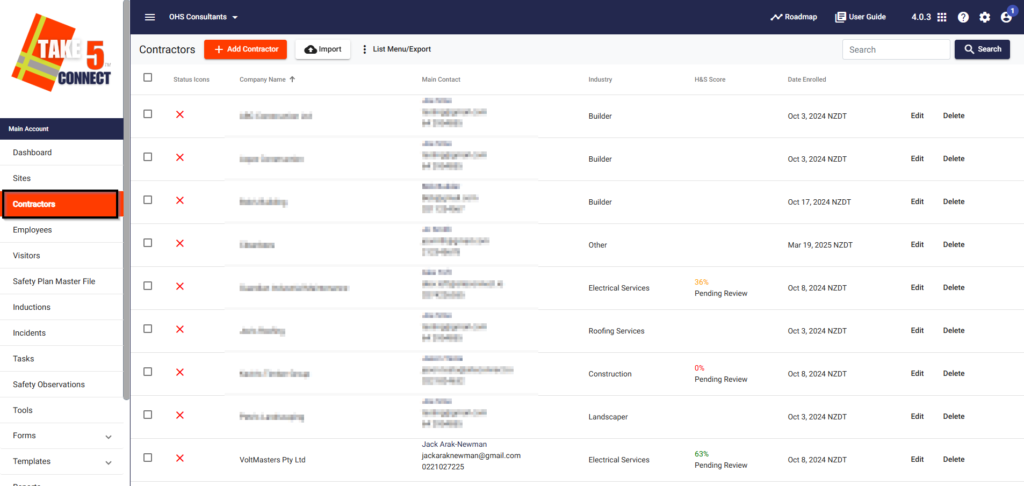
- From the main menu, navigate to Contractors.
Step 2: 📋 Create Individual Pre-Qualification for a Contractor
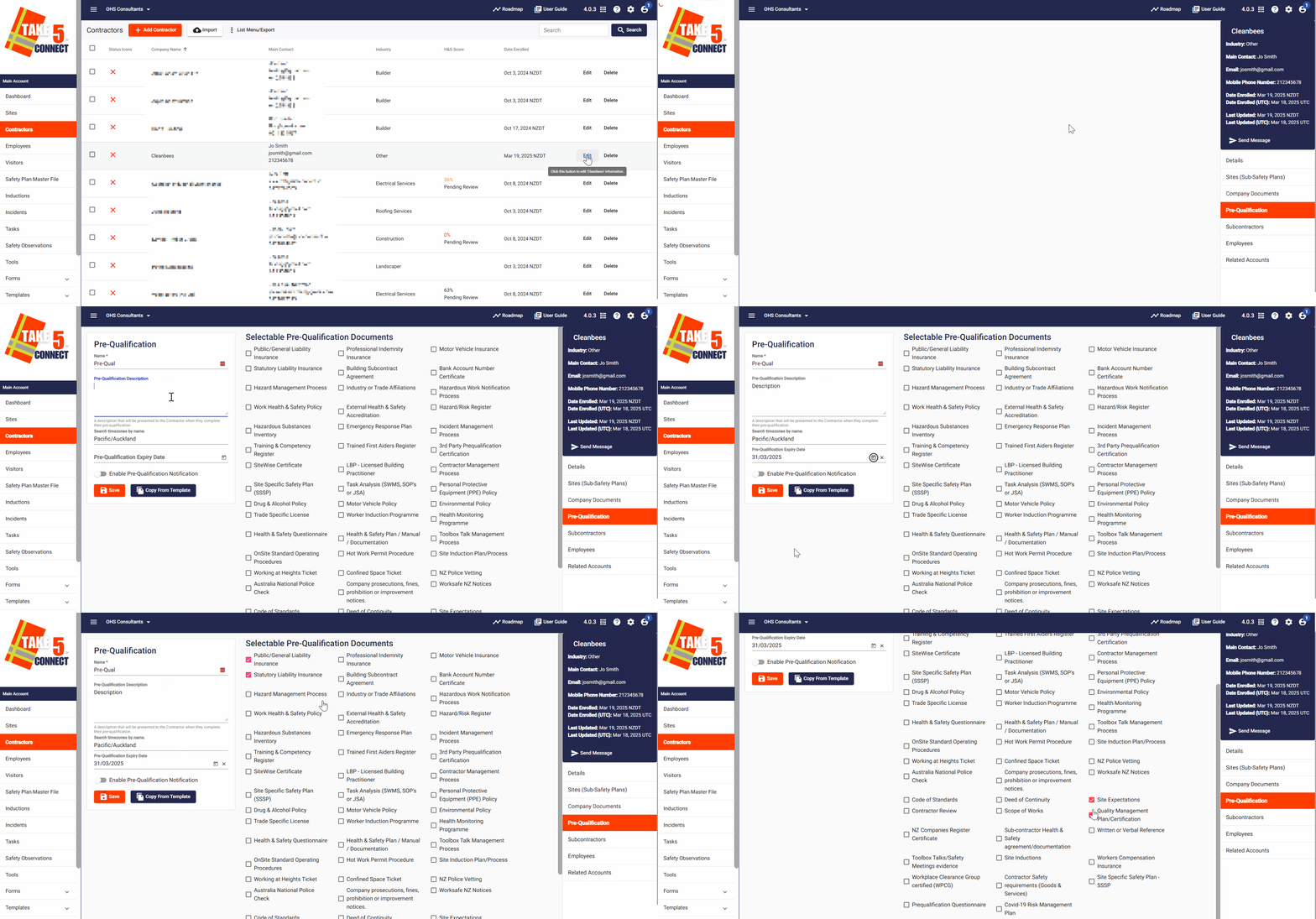
- Click Edit next to the contractor you want to create a pre-qualification for.
- In the Pre-Qualifications tab, select the relevant pre-qualification items for the contractor by checking the boxes.
- Enter a Pre-Qualification Name and Description.
- Set the Pre-Qualification Expiry Date to get notified before the pre-qualification expires (28 & 7 days before).
- Optionally, enable Pre-Qualification Notifications to notify the contractor when the pre-qual has been assigned to them.
- Select Save after completion.
Step 3: ✏️ Create a Pre-Qualification Template
Alternatively, you can create a Contractor Pre-Qualification Template to apply to multiple contractors.
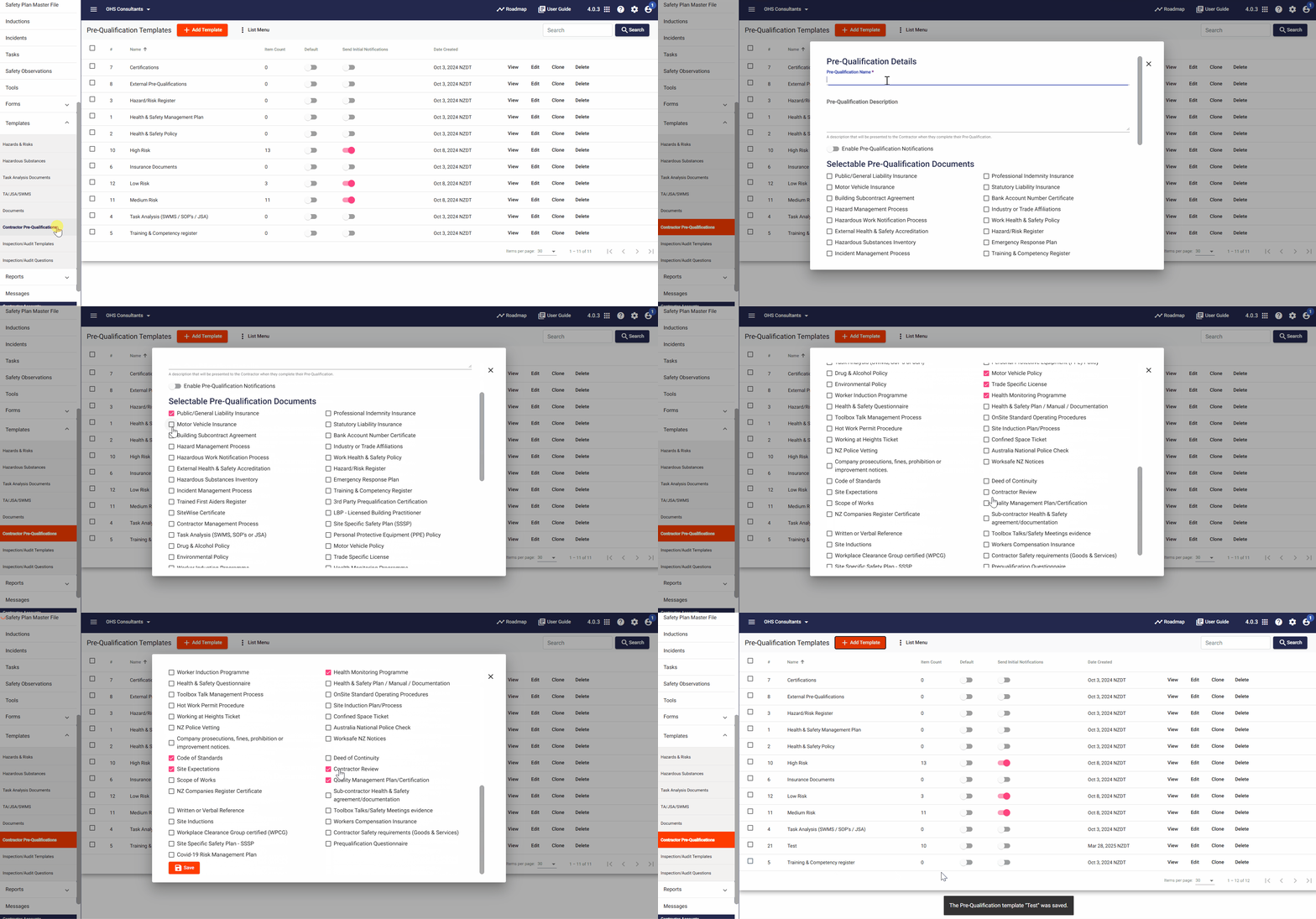
- From the Templates dropdown, click on Contractor Pre-Qualifications.
- Click Add Template to create a new template.
- Name the template, provide a description, and select the appropriate pre-qualification items.
- Toggle Enable Pre-Qualification Notifications to notify contractors when assigned a pre-qualification or when documents are expiring.
Step 4: ⚙️ Assign Pre-Qualification Template to Contractors
Once the template is created, you can assign it to contractors through the Pre-Qualifications tab
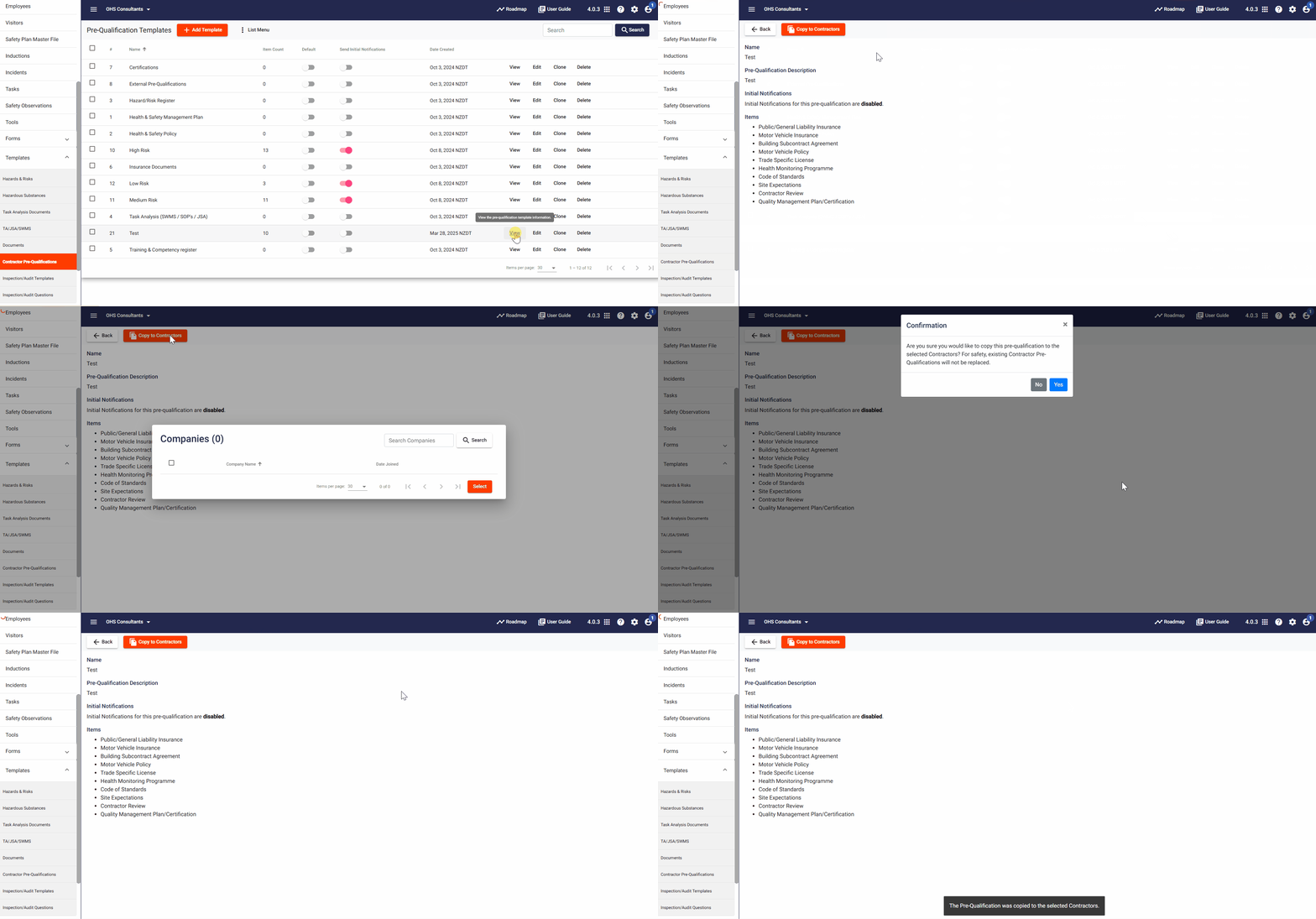
- Select the Pre-Qualification Template you want to assign, and click View next to it.
- Click Copy to Contractors at the top of the screen.
- Here select the contractors you want to share the template with.
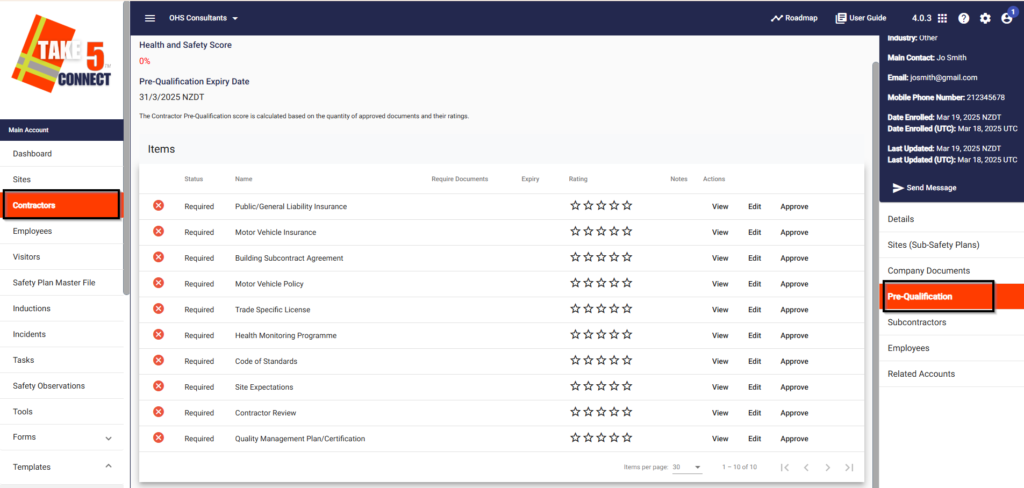
Step 5: 📑 Review and Assess Pre-Qualification Requests
After contractors submit their pre-qualification documents, you can review and assess them directly through the Contractors section.
📞 Need Help?
For additional support or questions, contact our team at:
📧 Email: support@take5connect.com
📞 Phone (NZ): 0800 582 535